












WhatsApp +212 610 046 062

Kikatv – Family IPTV in 4K - Something for Every Age

Kikatv: One Login the Whole House Watches, From the Toddlers to the Grandparents

A single subscription stretches across every age under your roof: Cartoon Network and CBeebies for the little ones after school, soaps and reality for the family sofa, live sport for the teenagers, and box sets, news and documentaries for the grown-ups once the children are in bed. Altogether that is 25,000+ live channels plus a 120,000+-title on-demand shelf, all in crisp 4K, with a parental PIN on the grown-up categories and a profile for each person. It starts at $15 a month, and a 24-hour trial lets everyone try it before a penny changes hands.

  • 7-day money-back promise
  • WhatsApp help, day or night
  • Watching in minutes
Kikatv streaming on a smart TV, tablet, laptop and phone at once
25,000+ Channels for every age in 4K, FHD and HD

Ready before the kids finish their snack: the login arrives inside the quarter hour, with no contract, no card on file and no sneaky renewal when the term ends.

Order the family plan

Every plan carries a 7-day money-back guarantee

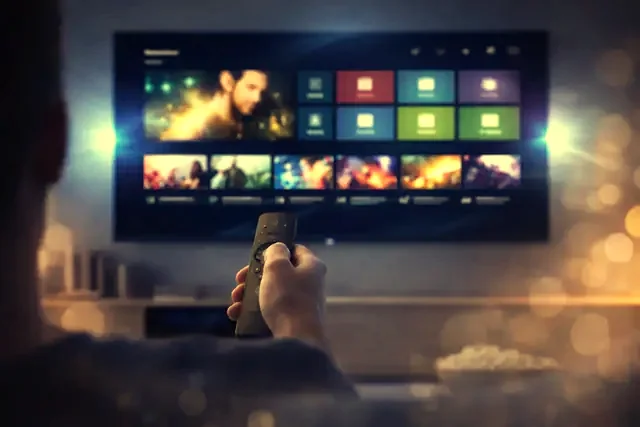
A family watching Kikatv on the living-room television Picking a channel with the remote in the Kikatv guide
The household plan

Built for a House Where Nobody Watches the Same Thing


Plenty of homes pay for three or four streaming apps and still bicker over the remote. Kikatv folds the lot into one subscription with a lane for every age. Nick Jr, CBeebies and Baby TV mind the pre-schoolers; Cartoon Network, Nickelodeon, Disney Channel and Boomerang suit the older children; soaps and reality bring the family together; the teenagers follow the sport; and the adults keep their box sets, documentaries and late news for after lights-out. Counted up, that is 25,000+ live channels from American, British, Canadian and 60+-country schedules, plus 120,000+ titles on demand — all opened with one login.

No box or dongle to buy. Whatever is already plugged in carries it — a Samsung or LG set, an Android box, a Fire TV Stick, an Apple TV, a laptop or a phone — and one set of three sign-in values sets up each of them. The bedroom tablet and the big screen downstairs show the very same channels, and every viewer lands in their own profile and favorites.

  • One plan for the whole household, not one subscription per person
  • 99.9% uptime – smooth 4K on several screens at once

A Screen for Everyone, All on the Same Line

Runs on Samsung and LG TVs, Fire TV, Apple, Roku, Android, Windows and the usual dedicated IPTV boxes

Tap your hardware below for a guide built for that exact model, or start at the setup hub. Whether a child is on a bedroom tablet or Grandad is on the main television, the channel list and the 4K feeds look identical — all 25,000+ of them, on every screen you sign in on.

  • Amazon Fire TV Stick
  • Samsung Smart TV
  • Android TV
  • Apple TV and iPhone
  • MAG and Formuler box
  • Nvidia Shield
  • Android phone and tablet
  • IPTV Smarters Pro
  • Roku
  • Web player and M3U
  • LG Smart TV
  • Windows PC and Mac

Safe Viewing for the Little Ones, Freedom for Everyone Else

In most players you set a parental PIN, tuck the adult categories out of sight and give each person a profile, so a five-year-old opens into cartoons while the sport and box sets wait behind a code. Want a hand? Someone on WhatsApp will walk you through it.

Browse the full channel list

25,000+Live channels for every age

120,000+On-demand films and series

99.9%Uptime, morning and night

60+Countries in the line-up

In living rooms around Canada · the United Kingdom · the United States · Europe · Australia · the Middle East

The plans

One Plan, Priced by How Many Screens Run at Once

Start with how many screens might be lit up together on a wet Saturday — one for the main TV, up to five for a full house — then choose a term. Each one opens the identical 25,000+-channel line-up, the same 120,000+ on-demand titles and the same 4K picture, all arranged in a single WhatsApp message.

1 Month

$ 15 / 1 month

$15.00 a month for the whole house

  • 25,000+ channels, kids to grown-ups
  • 120,000+ movies and box sets
  • 4K, FHD and HD on any screen
  • Full TV guide and catch-up
  • A profile for everyone at home
  • Real help on WhatsApp, round the clock
  • 7-day money-back promise
Order on WhatsApp

3 Months

$ 29 / 3 months

$9.67 a month for the whole house

  • 25,000+ channels, kids to grown-ups
  • 120,000+ movies and box sets
  • 4K, FHD and HD on any screen
  • Full TV guide and catch-up
  • A profile for everyone at home
  • Real help on WhatsApp, round the clock
  • 7-day money-back promise
Order on WhatsApp

6 Months

Popular

$ 45 / 6 months

$7.50 a month for the whole house

  • 25,000+ channels, kids to grown-ups
  • 120,000+ movies and box sets
  • 4K, FHD and HD on any screen
  • Full TV guide and catch-up
  • A profile for everyone at home
  • Real help on WhatsApp, round the clock
  • 7-day money-back promise
Order on WhatsApp

The length is all that changes from one card to the next: the 25,000+ channels and 120,000+ on-demand titles stay the same for everyone in the house, and most players let you give each person a profile and tuck the grown-up categories behind a PIN. No auto-renewal, no contract, and a 7-day money-back guarantee if it is not for your family. Prices shown in USD.

See every tier side by side over on pricing, or give the kids a free 24-hour run of it first.

The Kikatv electronic program guide open on three screens
Watching in under 15 minutesThe order, the payment and the login all happen in one chat.
Getting started

From First Message to Cartoons in Three Steps

  1. Pick the plan that fits the house

    Decide on a term and how many screens the family needs over on the pricing page, then open WhatsApp with the button and say hello.

  2. Get your login in minutes

    As soon as the payment clears we reply in the same thread with your username, password, server URL and M3U link, usually inside under 15 minutes.

  3. Install, set a PIN and press play

    Follow the setup guide for your device, sign in with IPTV Smarters Pro or TiviMate, set the profiles and parental PIN, and the 25,000+ channels are ready for everyone.

Let the Whole Family Try It Free for 24 Hours

Put the kids' channels on, see how the picture holds on your own broadband, try the parental PIN and check it on the devices you own — all before you pay. No card to enter, nothing to commit to.

No card, no email. Tap the button and WhatsApp opens with your details ready to send.

Why families choose us

What You Get for One Household Price

One price for the whole house

It opens at $15 a month, or near $5.75 a month on the yearly plan — less than one ad-free app, yet it covers everyone. Nothing auto-renews, there is no contract and no hidden fee.

Set up in minutes on WhatsApp

Order and pay in one thread and your login returns, nearly always within under 15 minutes. The same person then helps you set the profiles and lock the PIN.

A profile and a PIN for every age

Each person gets a profile and favorites, the adult categories sit behind a parental PIN, and anything the youngest should not see can be hidden — all set inside the player in minutes.

7-day money-back guarantee

If it will not play on your setup and the team cannot put it right, every cent comes back. The refund policy lays out the 7 days.

A Stack of Apps vs Cheap IPTV vs Kikatv

FeatureCable TVGeneric IPTVKikatv
Monthly price$80–150$10–20$15 (near $6/mo yearly)
Kids channelsA few, often paid extraHit and missCBeebies to Cartoon Network, built in
Live channels150–3005,000–15,00025,000+
Films and seriesCharged separatelyA limited shelf120,000+ bundled in
Parental controlsFairly basicSeldomPIN, profiles and hiding
ContractLocked in 1–2 yearsNoneNone, cancel whenever
ActivationWait for an engineerAnywhere from hours to daysUnder 15 minutes
SupportPhone queueA ticket, maybe24/7 on WhatsApp
Screens at onceOne rented box per roomDependsUp to five, a guide for each

Set Families Up Under Your Own Brand

Open a credit-based reseller panel and sell Kikatv as your own

Credits come at wholesale and whatever you add on top is yours. Spin up accounts for your customers in seconds, put the same 25,000+ channels behind each one, and let our servers carry the weight while you set the neighbors and relatives going. The panel switches on the same day, with the wholesale rates posted on the reseller page.

View the reseller rates
Frequently Asked Questions

What Parents Ask Before They Subscribe

Honest answers on kids channels, parental controls and getting the family set up, before you pay. The full FAQ page handles the rest.

What is Kikatv?

Kikatv is one television subscription for the whole household, streamed over the broadband you already pay for rather than a dish or a cable box. A single login opens 25,000+ live channels and a 120,000+ on-demand library, from cartoons for the little ones through to box sets and live sport for everyone older. You add a player such as TiviMate or IPTV Smarters Pro and sign in once.

How much does a Kikatv subscription cost?

A single screen starts at $15 for one month; a full year is $69, which works down to about $5.75 a month. Households that watch on more than one TV usually pick a two, three or five-device plan, so the children's cartoons and the grown-ups' sport can run in different rooms at the same time. Every figure is on the pricing page, with no contract.

Is there a free trial?

Yes, a complete 24-hour account with nothing held back. Load it with the kids' channels one afternoon and the sport or the soaps that evening, so you see how the whole family's viewing behaves on your own broadband. Ask on WhatsApp and we set it up by hand; no card is needed, and it simply lapses when the day is up rather than turning into a bill.

Which devices work with Kikatv?

If a screen in the house connects to the internet, it almost certainly works: Fire TV Stick, Android TV boxes, Samsung and LG smart TVs, Apple TV, iPhone, iPad, Roku, Windows, Mac, and Formuler or MAG boxes. Because the account is a standard Xtream login, the same three details sign in the living-room television, a child's tablet and the grandparents' set alike.

How fast is activation?

Usually under fifteen minutes. You order and pay inside one WhatsApp chat, and the login arrives in that same conversation the moment payment clears, so a rainy Saturday can go from "there is nothing on" to the children watching cartoons before the kettle has boiled. Nothing is posted out and no engineer visit is booked.

Which channels are included?

Kids channels sit right at the front — CBeebies, CBBC, Cartoon Network, Nickelodeon, Nick Jr, Disney Channel, Disney Jr, Boomerang and PBS Kids among them — alongside entertainment, films, sport, news and packages from 60+ countries. The channels page shows the backbone; the searchable guide inside your player runs far longer, and you can tuck a favorites row together for each person in the house.

Can I watch live sports and PPV events?

Yes, and it is what keeps the older kids and the parents happy on the same subscription. The NFL, NBA, MLB, NHL, Premier League, Champions League, UFC and the big boxing pay-per-views each have dedicated channels, many with a 4K feed on the night. While the match plays on the main TV, the little ones can stay on their cartoons elsewhere.

Do I need a VPN to use IPTV?

No, and it is not something we sell or require. Kikatv runs on an ordinary home connection straight out of the box. Some people already keep a VPN going for their own privacy, and if you do, choosing a nearby server keeps speeds high enough for 4K; but it is entirely optional and makes no difference to getting the family set up and watching.

What internet speed do I need?

Roughly 10 Mbps for an HD stream and 25 Mbps for 4K, per screen in use. A steady line matters more than a big headline number: a solid 30 Mbps feeding two tablets and the main TV beats a jumpy 200, because what breaks a stream is the gaps, not the average. When several people watch at once, a wired main television settles most of it.

Is there a money-back guarantee?

Yes, 7 days on every plan. If it will not run on your equipment and support cannot sort it, say so within 7 days of activation and the full amount goes back. The refund page lists exactly what the guarantee covers and what it does not; it is there so a family can try the service for real without feeling committed.

How many devices can I use at once?

The plan sets that, not the app. A one-device plan streams on one screen at a time, which suits a single household TV; a busy family with cartoons in one room and sport in another will want the two, three or five-device plan. You can install the player on every device you own regardless, and simply sign in wherever you are watching.

How do I pay and get my login?

Pick a plan, tap the WhatsApp button, and the whole thing is finished in that one chat. We confirm the payment and send back the server address, username and password to the same conversation, usually within fifteen minutes, and we will happily talk you through the first player and pinning the children's channels to a favorites row.